
iLocator : Family Location
Betasoft MobileMaps & Navigation
3.716.00 Reviews
- Version
- 1.6.2
- Installs
- 50.00K
- Age Rating
- Everyone
Screenshots
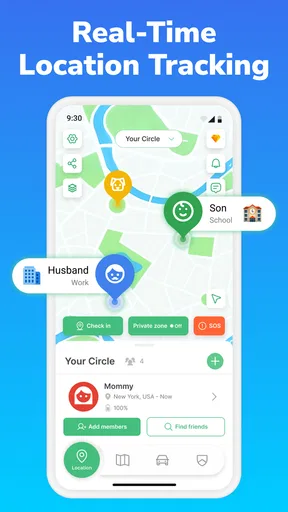
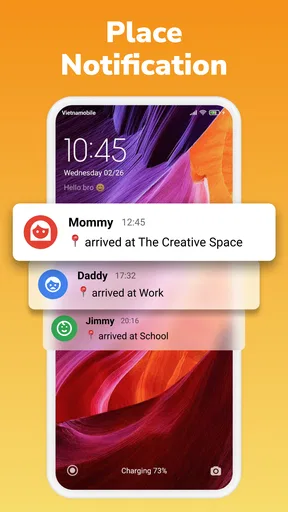
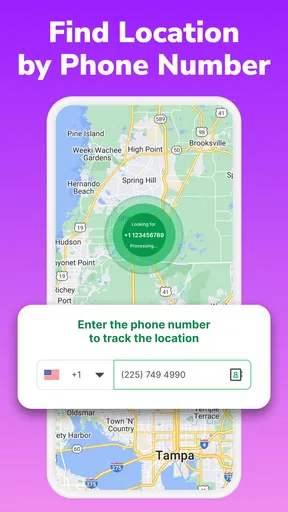
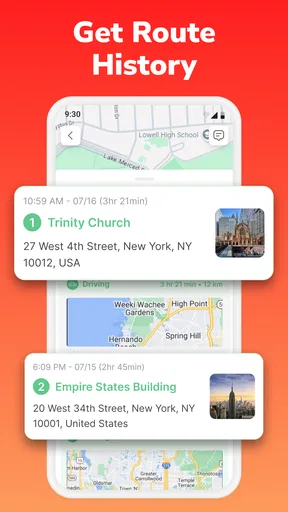
Our Review of iLocator : Family Location
 Analysis by Appyee
When a household needs a simple way to keep track of location, the appeal is obvious: fewer “Where are you?” messages and a quicker sense of whether someone is on the way. I tested iLocator: Family Location with that everyday situation in mind. It is a free maps and navigation app from Betasoft Mobile, built around GPS location and family location rather than turn-by-turn driving directions. That distinction matters, because it feels closer to a shared location tool than a full replacement for a traditional navigation app.
I can imagine using it on a weekday when one person is collecting a child from an activity, another is leaving work, and everyone is trying to coordinate without making several calls. The value is not flashy. It comes from having a common place to check location and make a practical decision. At the same time, location sharing only works well when everyone understands what is being shared and agrees to use it. I would not treat this as a substitute for a conversation about privacy, consent, or safety.
How iLocator fits into a shared household
The first thing I would clarify before installing it on several devices is the role each device will have. A family phone, a personal phone, and a shared tablet are not interchangeable. A shared tablet may be useful for viewing information in a common room, but it should not automatically become a window into every person’s movements. The app is most sensible when each participant knows which device is connected to the location arrangement and who may see it.
That boundary is especially important in households with different ages. A parent coordinating with an older child has a different need from roommates checking whether someone has arrived, and both situations differ from using a spare phone as a household reference screen. I found the app easier to evaluate when I focused on one clear purpose at a time: coordinating arrivals, checking whether someone is still travelling, or confirming that a person has reached an expected place.
Because the app belongs to the maps and navigation category, I initially expected the experience to revolve around a map first. In practice, its identity is more focused on location awareness for a family or small group. That makes it less useful if your main goal is detailed route planning, traffic avoidance, public transport directions, or a broad travel toolkit. For those jobs, a mature navigation service is usually the better choice. iLocator makes more sense when the question is “Where is our person?” rather than “Which road should I take?”
The app is free to install, which lowers the barrier for a household that wants to try it without committing immediately. It also includes in-app purchases priced from around seven dollars to around forty dollars per item. I would therefore check the purchase screen carefully before treating the free download as the complete long-term experience. A family should agree in advance about whether anyone is allowed to buy anything, particularly when a device is shared or a younger user can access it.
Starting with a small, clearly defined setup
My practical advice is to begin with the smallest useful group instead of adding every household device at once. Start with the people who genuinely need to coordinate, then test the arrangement during an ordinary trip. This reveals whether the information is understandable and whether it actually reduces messages. Adding more devices too early can make a simple household routine feel confusing.
I would also label devices and accounts in a way that makes sense to everyone. A location view is only helpful when you can tell which person or device it represents. If an old phone is left at home while its owner goes out, the displayed location can create a false sense of reassurance. That is one of the most important trade-offs with any GPS location tool: it reports the device relationship you establish, not necessarily the person you have in mind.
For that reason, I would not leave an unused phone connected to the household location setup. I would remove it from the routine or explain clearly that it is a stationary device. This is a small organizational step, but it prevents one of the most common mistakes in shared-device tracking: assuming that a phone’s position proves where its owner is.
Another useful habit is to agree on what counts as an action. If someone is late, should another person send a message, call, or simply wait? The app can help people coordinate, but it cannot replace that household rule. Without one, location checking can become repetitive rather than helpful, with people refreshing the map instead of communicating directly.
Using location information for everyday coordination
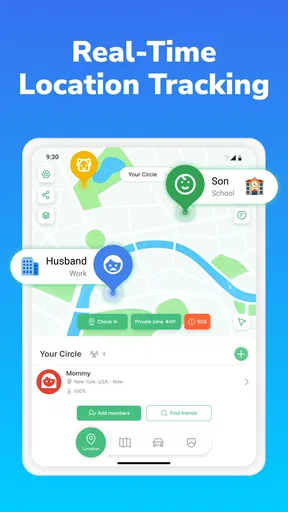
A realistic example would be an evening pickup. One adult finishes work at a different time from the person waiting at an activity. Instead of sending several updates, the waiting person can check whether the driver appears to be moving toward the meeting point. If the driver is still far away, the family can adjust the plan. If the driver has arrived nearby, the waiting person can get ready without another call.
That workflow is useful because it turns location into a timing aid rather than a constant surveillance habit. I would check it when a decision needs to be made, not keep it open all evening. This approach also makes the app easier to explain to children and teenagers: it is being used to coordinate a specific journey, not to demand an explanation for every stop.
A second use case is a shared household with staggered arrivals. Someone may want to know whether they need to leave a light on, unlock a door, or delay dinner. A quick location check can answer part of that question, but I would still confirm important plans directly. GPS location can lag, be affected by the device being indoors, or represent the last useful position rather than the exact current one.
The non-obvious strength here is the reduction of unnecessary interruptions. When used with agreed boundaries, location sharing can replace a string of low-value status messages. The weakness is that it can also invite overchecking. If one person expects constant precision, disappointment is likely. I would present iLocator as a coordination aid, not as a guarantee that a person can always be found instantly.
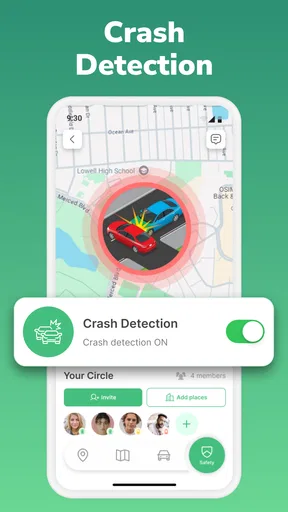
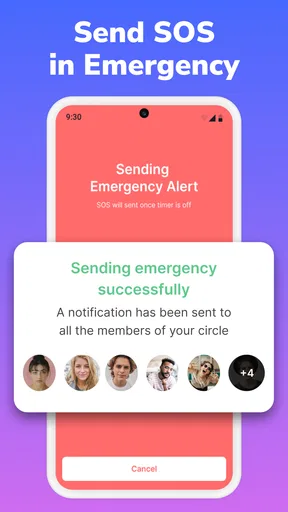
It is also worth separating location awareness from emergency planning. I would never assume that seeing a device on a map is the same as having an emergency response system. A household should still know who to call, what to do if a phone is lost, and how to respond if someone does not arrive. The app can be one small part of that plan, but it should not carry the whole responsibility.
Trust, age, and the meaning of consent
The content rating is Everyone, which makes the app broadly suitable from an age-classification perspective. That does not remove the need for age-appropriate conversations. A younger child may understand “this helps us meet up,” while an older teenager may reasonably ask who can view the location, when it is checked, and how the arrangement can be changed.
I would explain the purpose before connecting a child’s device and keep the explanation concrete. For example, the family might use it during the journey home but not treat it as permission to question every detour. The app should support trust, not quietly replace it. If a teenager feels watched rather than supported, the household may gain a map view while losing cooperation.
Shared devices need an even clearer boundary. If a tablet is accessible to several people, anyone who can open the app may encounter sensitive location information. I would avoid leaving a family location screen permanently visible in a public area unless every person involved is comfortable with that arrangement. A personal device may be more appropriate for private checking, while a shared device can be reserved for a specific, openly agreed household purpose.
I also recommend reviewing the arrangement when circumstances change. A child may become more independent, a roommate may move out, or a phone may be replaced. A location setup that was reasonable during one period can become inappropriate later. Rather than assuming the original arrangement remains valid forever, I would make a short household check-in part of the routine.
This is where iLocator’s simplicity can be both helpful and limiting. A focused location app is easier to introduce than a large family-management platform, but it may not provide every layer of supervision, scheduling, or parental administration that some families expect. If you need extensive controls, detailed activity management, or a broader safety ecosystem, I would compare it with a dedicated family service before choosing it.
What the app’s maturity suggests for new users
Betasoft Mobile released the app on January 18, 2024, and the current version is 1.6.2. I mention that because a relatively focused location tool benefits from regular testing on the actual phones a household uses. Before relying on it for an important routine, I would install it on the relevant devices, walk through a short trip, and confirm that everyone understands the displayed information.
The app has passed fifty thousand installs, with an average rating of 3.7 from around two hundred ratings and sixteen written reviews. That gives me a mixed but useful signal: there is enough public use to show that people are trying it, while the rating suggests that expectations should remain realistic. I would not choose it solely because it is available; I would judge it by whether its location view fits the household’s specific routine.
Its minimum operating requirement is Android 7.0, so many older Android phones may be able to run it. That can be convenient for a household reusing an older device, but compatibility alone does not guarantee a good experience. An old phone may have limited battery life or be left in places where its location is not useful. I would test the exact device rather than assuming that the operating-system requirement settles the question.
One practical tip is to test the app from both sides of the arrangement. The person sharing or carrying the device should check what the viewer sees, while the viewer should confirm that the label and position are understandable. This catches confusion that a single-user test can miss. It also gives the family a natural opportunity to discuss when location should be checked and what to do if the displayed position seems outdated.
Where it beats ordinary alternatives, and where it does not
Compared with sending manual messages, iLocator can make routine coordination less tedious. A message such as “I’m leaving now” depends on someone remembering to send it and another person noticing it. A location view can provide context without creating a new conversation every time. That is its clearest advantage for households with repeated journeys.
Compared with a full navigation app, however, it is narrower. A conventional maps service is better when I need route choices, directions, travel-time planning, or help finding an unfamiliar address. I would use that kind of app for the journey itself and consider iLocator for the family coordination around the journey. They solve related but different problems.
Compared with a broad family-safety platform, iLocator may appeal to people who want a less crowded experience centered on location. The trade-off is that a more comprehensive service may offer more household management tools, while a focused app may require families to handle their own rules and communication. I would choose the simpler option only if the household’s need is genuinely simple.
There is also a privacy advantage to avoiding unnecessary complexity. If all a family wants is a way to coordinate arrivals, adding a large collection of unrelated features may create more information and more settings than anyone wants to manage. But simplicity is valuable only when the available controls match the family’s boundaries. Anyone expecting extensive supervision tools should investigate those expectations before making iLocator the household standard.
Costs, permissions, and sensible expectations
The free entry point makes it practical to try the app with a low financial commitment. Still, the presence of in-app purchases means I would not hand a shared device to a child without checking the purchase protections already in place on that device. I would also make sure every adult in the household understands which functions are available without payment and which may lead to a charge.
I would treat permission requests as part of setup rather than tapping through them automatically. A location app needs access that relates to its purpose, but each household should review what it is comfortable allowing on each phone. The right choice can differ between a personal phone, a child’s device, and a shared household handset. If the required access feels too intrusive for your situation, that is a valid reason to stop and choose a different approach.
Battery and connectivity are practical considerations too. A location-based workflow depends on the device being with the person, powered on, and able to provide useful information. I would not build a critical pickup plan around a phone that regularly runs out of battery. A simple backup message or call remains important, especially for children travelling independently.
Another realistic limitation is interpretation. A map position may show that a device is near a destination, but it does not tell you whether the person has entered a building, is waiting outside, or has stopped somewhere nearby. I would use the app to decide when a direct check-in is worthwhile, not to infer every detail of someone’s situation.
My household verdict after using it
I see iLocator: Family Location as a useful, focused option for households that want location awareness without turning the phone into a complete family-management system. Its best role is quiet coordination: checking whether someone is approaching, reducing repetitive updates, and helping a shared plan run more smoothly. The app is particularly appealing when everyone agrees on who participates and why.
I would recommend trying it for one clearly defined routine, such as a regular pickup or staggered evening arrival. Give each device a clear identity, test the arrangement on a normal day, and agree on what the location information should and should not be used for. Those steps matter more than simply installing the app, because a shared location tool succeeds through understanding as much as through technology.
I would skip it if you need detailed navigation, advanced parental administration, or a guaranteed emergency-tracking system. A standard maps app is better for directions, and a broader family platform may be better for households seeking many management features in one place. I would also avoid it if the people involved do not consent to the arrangement; no location tool can repair a lack of trust.
For the right household, the strongest benefit is modest but real: fewer interruptions and better timing around everyday movement. Betasoft Mobile has kept the concept centered on GPS and family location, and that focus can be refreshing. My final view is positive with sensible limits: use it as a transparent coordination tool, keep account and device boundaries clear, and remember that a map can support family communication but should never replace it.
Verdict
Strengths of iLocator : Family Location
- Real-time location sharing helps families coordinate daily activities.
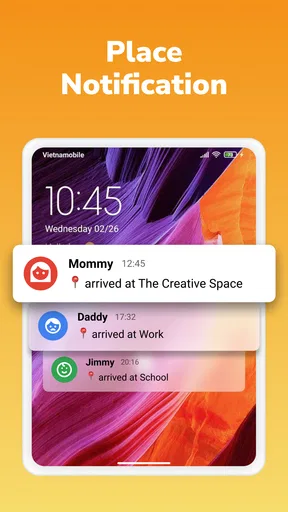
- Geofenced alerts can notify you when members arrive or leave key places.
- Location history makes it easier to review recent movements when needed.
- Simple map-based interface is accessible for users with limited technical experience.
- Useful for checking on children, elderly relatives, or other family members remotely.
Limitations of iLocator : Family Location
- Continuous GPS use may noticeably reduce battery life on some phones.
- Accurate tracking depends on reliable mobile data and GPS reception.
- Some features may require a paid subscription or in-app purchases.
- Location sharing can raise privacy concerns if permissions are not managed carefully.
- Background tracking may be restricted by Android or iOS battery settings.
Other Releases by Betasoft Mobile
View All
Remote Control for TV , All TV
Tools4.4
Similar Picks in This Category
View All
Uber - Request a ride
Uber Technologies, Inc.4.7


inDrive. Rides with fair fares
® SUOL INNOVATIONS LTD4.8

Yandex Go: Taxi Food Delivery
Mikromobilnost LLC Belgrade4.8

Bolt: Request a Ride
Bolt Technology4.8

Rapido: Bike-Taxi, Auto & Cabs
Rapido Bike Taxi4.8
Frequently Asked Questions
What is iLocator: Family Location, and how does it work?
iLocator: Family Location is designed to help families share their whereabouts and stay connected through location services. After installing the app, members typically create or join a private family group, grant the required permissions, and choose when to share their location. The app may display family members on a map and provide location updates, depending on device settings, internet access, and the permissions each person has approved.
Is iLocator: Family Location safe and private to use?
Location-sharing apps handle highly sensitive personal information, so privacy should be considered before inviting family members. iLocator: Family Location generally relies on private groups and user-approved permissions, but you should review its privacy policy and the access requested during setup. Only share your location with people you trust, use a strong account password, and disable sharing whenever it is no longer necessary.
Does iLocator: Family Location work without an internet connection?
The app normally needs an active internet connection to send your current position to other family members. GPS may still determine your location when mobile data or Wi-Fi is unavailable, but that information may not appear on the family map until the connection returns. Accuracy and update speed can also vary indoors, in crowded areas, or when the phone is using battery-saving restrictions.
Does iLocator: Family Location drain the battery or use a lot of mobile data?
Because location tracking can run in the background, iLocator: Family Location may consume more battery than an app that only checks location while open. The impact depends on update frequency, GPS use, signal quality, and your phone’s power settings. Data usage is usually modest, but continuous updates can increase it. Adjusting tracking options and allowing sensible battery optimization may help.
Is iLocator: Family Location free, and are there in-app purchases?
Before downloading, check the current Google Play Store or Apple App Store listing because pricing, subscriptions, and available features can change between versions or regions. Some location apps offer a free basic experience while reserving advanced alerts, longer history, or additional family features for paid plans. Carefully review the subscription terms, renewal conditions, and cancellation process before starting a trial.
